





Key takeaways:
- An IP intercom carries communication over an IP network, but it is not necessarily SIP-based, cloud-managed, or dependent on the internet for every function.
- System architecture determines how calls are routed, who manages the system, and what may continue working during internet, network, switch, or power failures.
- Choose a system by comparing wiring, entrances, endpoints, integrations, security, outage tolerance, support, and total ownership cost—not hardware price alone.
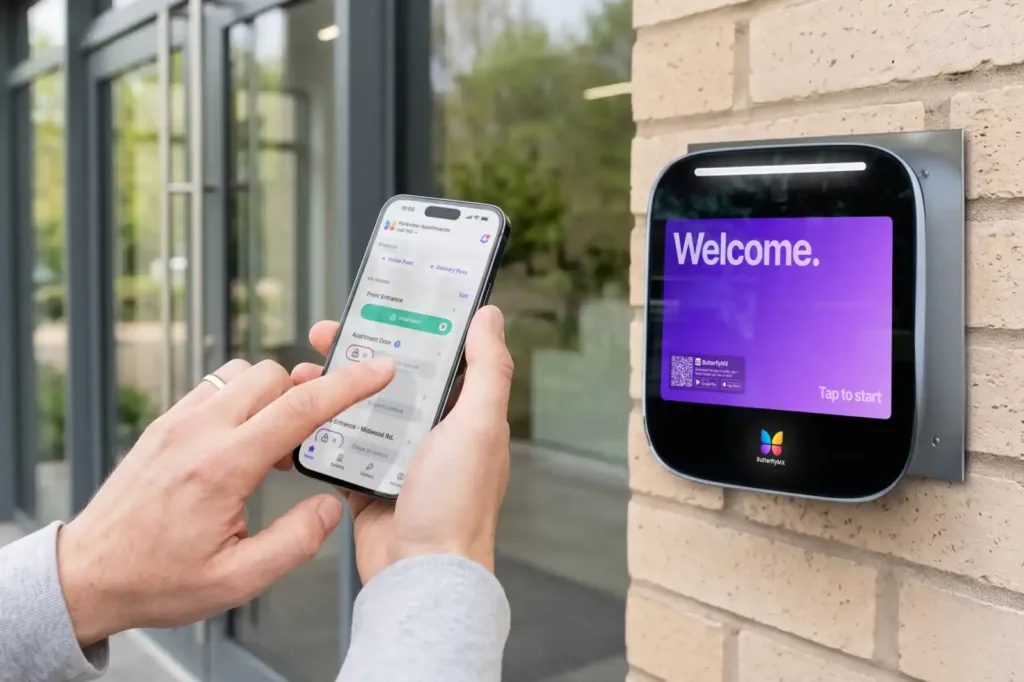
A visitor presses a button at the entrance, a resident answers, and the door unlocks. That short exchange can depend on several separate systems: call routing, audio and video transport, the building network, user credentials, and the lock interface.
An IP intercom is a building communication and entry system that sends signaling, audio, video, and related control data across an IP network. It connects a door station with indoor monitors, phones, or mobile apps. The system may use SIP, a cloud-based video intercom, direct endpoint calling, or a combination of architectures.
That distinction matters because the IP label alone doesn’t tell a property team how the system will be managed, what infrastructure it needs, or what happens during an outage. To compare systems well, buyers need to understand the parts behind the call, the tradeoffs between architectures, and the demands of the property itself.
This guide will answer:
- What is an IP intercom?
- How an IP intercom works
- IP, SIP, VoIP, cloud, and analog explained
- Core parts and network requirements
- Cloud, on-premises SIP, and hybrid architectures
- Reliability during internet, network, and power failures
- Security and integration requirements
- Retrofit options for existing wiring
- IP intercom cost drivers
- How to choose an IP intercom for your property
Watch how ButterflyMX works:
What is an IP intercom?
An IP intercom system uses Internet Protocol networking to carry communication between an entrance and the people or systems that answer it. Depending on the design, that communication may stay on a local network, pass through an on-premises server, use a cloud service, or move across more than one of those paths.
The main intercom endpoints and controls
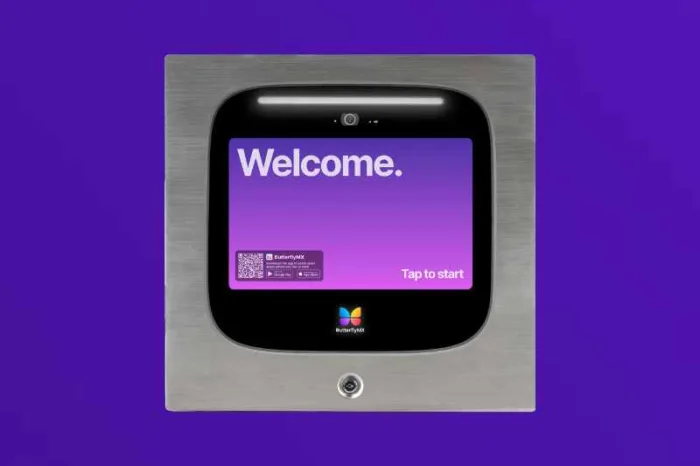
The door station is the device a visitor uses at an entrance. It may include a call button or directory, microphone, speaker, camera, or credential reader. An indoor station is a fixed monitor or handset in a unit, office, lobby, or security desk. A mobile endpoint is a phone or tablet configured to receive calls through a supported app or service.
The door-release relay or access-control interface performs a different job. It passes an authorized unlock command to compatible door hardware. Calling, carrying audio or video, and releasing the door are connected parts of the visitor-entry process, but they are not one technical function.
IP describes how the system communicates over a network. It does not promise SIP support, cloud management, smartphone access, cross-vendor compatibility, or a particular response to an outage. Those characteristics come from the system’s architecture and configuration.
How an IP intercom works
Although implementations vary, most visitor calls move through six basic stages:
- A visitor presses a call button or chooses a resident, tenant, or business from the door station directory.
- The system identifies the intended endpoint and sends an alert through its configured local, PBX, or cloud-based routing path.
- The door station and receiving endpoint establish a communication session. In a SIP-based system, SIP signaling can begin, modify, and end that session.
- Once the session is established, audio and, when supported, video travel between the endpoints. Many SIP deployments carry this media separately through a protocol such as RTP.
- The resident, employee, front desk, or security team speaks with the visitor and decides whether to grant entry.
- If entry is approved, a separate command passes through the door-release relay or access-control integration. The call and media stream do not physically power the lock.
This separation explains why one part of an intercom can work while another fails. A routing problem may stop a call from reaching a phone. A media problem may interrupt audio or video after the call connects. A controller, relay, credential, or lock problem may prevent entry even when the conversation works normally.
A representative SIP call flow
SIP is one possible signaling method for an IP intercom. In a simplified SIP exchange, the labels describe the following actions:
The IETF specification for SIP defines SIP as an application-layer signaling protocol. SIP endpoints may communicate directly, or they may use a proxy, registrar, PBX, or other service. A proprietary cloud-managed intercom can follow a different call path, so this example should not be treated as a universal diagram for every IP system.
IP, SIP, VoIP, cloud, and analog explained
Intercom catalogs often place these terms side by side even though they describe different layers of a system. Keeping them separate prevents assumptions about compatibility, hosting, mobile access, and outage behavior.
An IP intercom is therefore not automatically a SIP intercom. SIP is one signaling option, while other IP intercoms may use proprietary software or a provider-hosted service. VoIP usually refers to voice communication over an IP network or integration with a phone system. Cloud describes where management or routing services are hosted.
The choice between IP and analog is also more nuanced than a list of modern and legacy features suggests. An analog system may still fit a small property with simple local calling, usable dedicated wiring, and little need for remote administration. An IP architecture may fit better when the property needs distributed endpoints, centralized management, integrations, or mobile access and has the infrastructure to support those functions.
The practical question is not which category wins. It is which design fits the property’s wiring, scale, staffing, integrations, and support model. Aiphone’s IP-versus-analog guidance likewise frames the choice around infrastructure and operating needs rather than a universal rule.
Core parts and network requirements
A reliable installation depends on the entire path between the entrance and the answering endpoint. Typical components include the door station, camera and microphone where applicable, indoor monitor or app, credential reader, network switch, controller, management software, and lock interface. A system may also connect to a PBX, cloud service, access-control system, video management system, or property-management software.
Does an IP intercom need internet or PoE?
Not necessarily. Internet dependence follows the architecture. Cloud-routed calls, remote administration, and off-site mobile functions generally need an external connection. Some local functions may continue without internet service when the required local network, power, controller, endpoints, and credentials remain available.
Power over Ethernet, or PoE, is a separate issue. PoE can carry network data and electrical power over Ethernet cabling, but it is not required by every IP intercom. The selected hardware determines the power method. For a PoE installation, the project team still needs to check device compatibility, switch capacity, cable condition, cable routes, and backup-power assumptions.
IEEE 802.3 includes PoE specifications, and the 802.3bt amendment extended PoE operation to four pairs and higher available power. Because standards terminology and equipment requirements can change, use current product documentation and the selected switch specifications rather than a generic wattage figure. The IEEE standards listing for PoE also identifies the superseded status of IEEE 802.3at-2009.
Pre-install planning checklist
- Map every entrance, door station, endpoint, controller, switch, and lock interface.
- Confirm cable routes, topology, condition, and access to equipment rooms.
- Document expected network traffic and the ports required by the selected system without relying on generic bandwidth assumptions.
- Assess available switch ports, the PoE power budget where relevant, network segmentation, and backup power with the network team.
- Identify who owns and supports the building network, intercom equipment, access-control equipment, and door hardware.
- Confirm whether residents or staff need indoor stations, mobile endpoints, desk phones, or a combination.
- Define user provisioning, remote-support access, and procedures for resident, tenant, or employee turnover.
- Have qualified project professionals review applicable permits, accessibility needs, electrical work, and local requirements.
A live network jack is not a complete intercom design. The door station may be online while the answering endpoint, switch, cloud service, controller, or lock interface introduces another dependency. Mapping those dependencies before installation makes both procurement and troubleshooting more precise.
Cloud, on-premises SIP, and hybrid architectures
The IP label does not reveal where calls are controlled, where administrators work, or which functions need internet access. Architecture does. This comparison is a decision tool rather than a ranking, and actual capabilities must be confirmed for the selected configuration.
No architecture label predicts every capability. To read the table well, start with the functions the property must preserve: visitor calling, indoor or mobile answering, credentials, unlocking, logs, administration, and integrations. Then map the network, power, and service dependency behind each function.
Support ownership matters just as much. An on-premises system may offer more local control, but the property or integrator must be prepared to configure and maintain it. A cloud-managed system shifts some service responsibility to the provider, while the property still owns decisions about site connectivity, credentials, procedures, and door hardware. A hybrid system can preserve useful infrastructure, but it can also divide support across more parties.
ButterflyMX is one cloud-managed IP video intercom and access option to evaluate for managed multifamily and commercial properties where mobile access, visitor access, and remote administration are priorities. That positioning does not make a cloud-managed design the right choice for every small site, PBX environment, or on-premises use case.
Reliability during internet, network, and power failures
Asking whether an IP intercom works during an outage is sensible, but the word outage is too broad. Internet loss, a local-network failure, a PoE-switch failure, and a building-power failure affect different parts of the system.
There is no universal answer to whether an IP or cloud intercom stops working completely. Remote calling or administration may fail while some local or credential-based functions remain available, depending on the design. An on-premises system isn’t automatically immune either; it can still fail if its local network, switch, controller, endpoint, or power source becomes unavailable.
Before selection, document the expected behavior of visitor calls, credentials, lock control, logs, and administration under each failure condition. During acceptance testing, verify recovery behavior, fallback credentials, support escalation, and every assumption about a UPS or local controller. Door locking and life-safety implications require review by qualified professionals for the specific project.
Security and integration requirements
An IP intercom should be evaluated as both an entry device and a connected system. For SIP deployments, RFC 3261 identifies security threats and describes mechanisms including TLS or SIPS and digest authentication. Signaling protection and media protection are separate concerns, so SIP support or an encryption label is not a complete security assessment.
Build security into the buying checklist
- Require unique credentials and ask how the product prevents continued use of default passwords.
- Verify how signaling and media are protected where encryption is supported.
- Review firmware, patching, and product-support practices.
- Plan network segmentation and least-privilege administrative access.
- Confirm what the system logs, who can review those logs, and how access is revoked.
- Assign responsibility for configuration, monitoring, updates, and incident escalation.
CISA Secure by Design guidance on default passwords supports treating credential practices as a procurement issue rather than a setup detail. NIST guidance on VoIP security provides useful foundational questions, though the publication is dated and should be considered alongside current product documentation and implementation practices.
Integration is a verification task
An intercom may connect to a PBX, access-control system, video management system, camera system, API, relay, or property-management process. The presence of a protocol logo does not prove that the complete function will work across the selected products.
ONVIF profiles define fixed feature sets, and only registered conformant products should be treated as ONVIF conformant. Even then, buyers need to verify the exact devices, profile versions, events, commands, and support boundaries. Review the current ONVIF profile information, then test the actual integration rather than assuming that conformance guarantees every desired feature.
Ask shortlisted vendors to demonstrate the tasks that matter at the property: receiving a call, viewing video where applicable, unlocking the door, recording an event, changing a directory entry, removing a departing user, and identifying who handles a failure. Product-level testing is more useful than a broad claim of SIP, ONVIF, API, or VMS compatibility.
Retrofit options for existing wiring
An IP intercom can sometimes use old wiring, but reuse is never automatic. A site survey must determine whether the installed cabling, topology, power, handsets, entrance hardware, locks, and network access can support the proposed design.
A practical retrofit decision path
- Identify the existing infrastructure. Document Ethernet, two-wire cabling, analog handsets, coaxial cable, door hardware, controllers, power sources, and any unknown runs.
- Test representative cable runs. Condition, topology, distance, and available power all affect whether a reuse plan is practical.
- List what must remain. A project may need to preserve selected handsets, entrances, lock hardware, or local control components.
- Compare the available paths. The property may reuse wiring with converters, retain selected analog equipment, phase a hybrid migration, or install a full IP replacement.
- Test the proposed design before a building-wide rollout. Confirm calling, audio or video, unlocking, administration, and expected failure behavior on representative equipment.
If suitable Ethernet is already present, it may support a more direct IP installation after the selected devices and network design are verified. Existing two-wire infrastructure may require a two-wire converter or another adapter. When some equipment must remain, a hybrid design may be appropriate. If the installed cabling or hardware cannot support the required functions, replacement may be the clearer path.
Converters and adapters are options, not compatibility guarantees. The intercom and retrofit products described by 2N illustrate that conversion and hybrid approaches exist, but each building still needs a site-specific assessment. The survey should also account for mounting work, network ownership, resident or staff onboarding, accessibility, permits, and local project requirements.
Planning an intercom upgrade? Request a retrofit assessment for your property.
IP intercom cost drivers
The purchase price of a door station is only one part of an IP intercom cost. A useful comparison includes equipment, installation, network work, configuration, recurring services, support, training, and eventual replacement.
Compare the same cost categories in every quote
IP can reduce some wiring or administrative burdens in one property while adding network work, configuration, or recurring fees in another. Analog reuse may look inexpensive until aging wiring or limited functionality changes the scope. A hybrid approach can limit immediate replacement but introduce several support boundaries. Architecture affects the shape of the cost; it does not determine a universal low-cost option.
Compare proposals using the same number of entrances, units or users, endpoint types, integrations, credential needs, installation scope, support period, and subscription assumptions. A lower equipment figure may exclude work included elsewhere, while a higher initial quote may include infrastructure or services that change the ownership cost.
How to choose an IP intercom for your property
Start with the property rather than a product feature list. The right choice depends on the entrances, installed wiring, visitor traffic, answering endpoints, integrations, outage tolerance, security practices, staffing, and capacity to manage local technology.
Match the architecture to the operating reality
- A small site with simple local calling, usable dedicated wiring, and little need for remote management may find an analog approach appropriate.
- An organization with established PBX expertise and local-control priorities may prefer to evaluate an on-premises SIP system.
- A managed multifamily or commercial property that needs mobile endpoints, visitor access, and centralized remote administration may prefer to evaluate a cloud-managed intercom.
- A property with constrained legacy infrastructure may need a phased hybrid plan instead of an immediate full replacement.
Once the likely architecture is clear, turn property needs into testable requirements:
- Count entrances and define how each visitor should reach a resident, tenant, employee, front desk, or security team.
- Decide which answering endpoints are required, including indoor stations, mobile devices, desk phones, or a combination.
- Survey cabling, network ownership, power, door hardware, and any equipment that must remain.
- List required PBX, access-control, VMS, ONVIF, API, or property-management integrations and test the complete use case.
- Define expected behavior during internet, network, switch, and power failures.
- Compare security practices, support ownership, firmware policies, licensing, subscriptions, and full lifecycle cost.
Require written confirmation of device compatibility, support boundaries, credential management, subscription terms, and expected retrofit work. Then ask vendors to demonstrate everyday tasks such as visitor calls, unlocks, directory changes, user turnover, audit logs, integrations, and recovery from documented failure conditions.
For a managed property where mobile access, visitor access, and remote administration are central requirements, ButterflyMX can be part of that evaluation. Compare it against the same infrastructure, security, resilience, support, and total-cost criteria used for every other option.
Frequently asked questions
Can I answer an IP intercom from my phone?
Yes, some IP intercoms can send calls to supported smartphones or mobile apps. Confirm the supported devices, user-provisioning process, remote-connectivity requirements, and licensing because mobile answering depends on the product and configuration.
Do I need a SIP server or PBX?
No, not every SIP intercom needs a PBX. Some SIP endpoints can communicate directly, while other systems use a registrar, proxy, or PBX. A proprietary cloud-managed intercom follows a different control model, so verify how the selected system routes calls.
Do IP intercoms need the internet?
No, not every IP intercom function requires external internet access. Cloud-routed calls, mobile services, and remote administration generally do, while some local functions may continue when the necessary local network, power, controllers, endpoints, and credentials remain available.
Can an IP intercom use existing wiring?
Sometimes, but a site survey is necessary. Existing Ethernet may be reusable, while two-wire or analog infrastructure may require converters, adapters, a hybrid design, or replacement. Test representative cable runs and complete calling and unlocking functions before approving a building-wide retrofit.
An IP intercom should be chosen by architecture, not by the IP label alone. The strongest fit is the system that supports the property’s real entrances, endpoints, integrations, security practices, support capacity, and failure plan at a defensible total cost.
For properties considering a cloud-managed video intercom with mobile access, visitor access, and remote administration, compare the available options against those requirements and request a property-specific ButterflyMX quote.

Get your free quote!
Fill in the form below, and we'll email you right back.
Want a free quote?
Fill in the form below, and we'll email you right back.
You’ll be redirected shortly...